

 Trending
  VISIT THIS SITE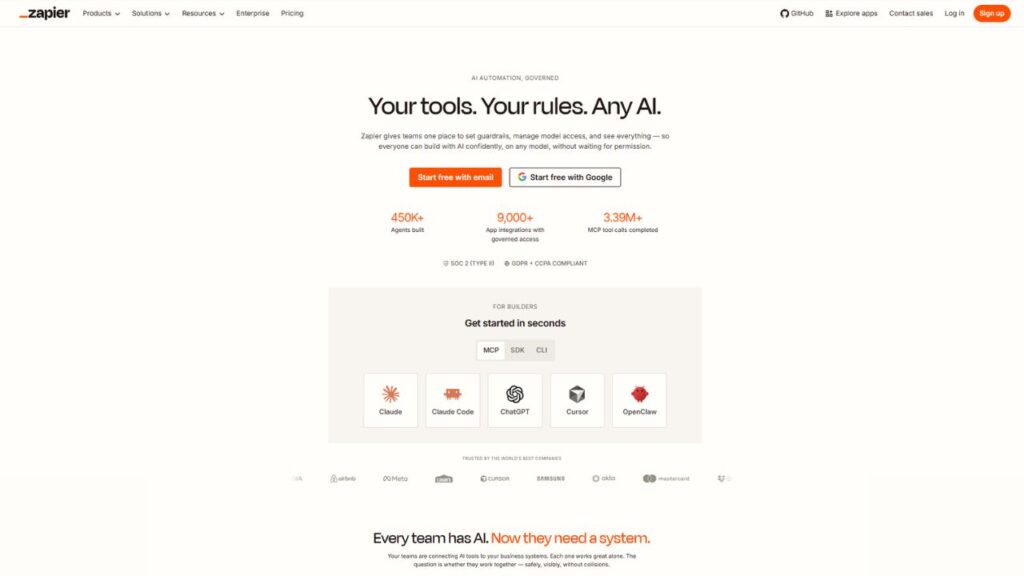
 ChatGPT
 Perplexity
 Claude AI

 Official Website
 Zapier Review 2026: Is It Still the Best Automation Tool — or Are You Overpaying?
You spend thirty minutes every morning copying leads from one spreadsheet into your CRM. You manually paste form responses into Slack. You remind yourself — again — to send a follow-up email after a call closes. None of this is skilled work. All of it eats your time.
Zapier was built to kill exactly that kind of repetitive busywork. And for over a decade, it has been the go-to no-code automation platform for people who want their apps to talk to each other — without writing a single line of code.
But in 2026, the automation market looks very different. Make, n8n, and newer AI-native tools are pushing hard. Zapier’s pricing has drawn real complaints. And the free plan has limits that hit faster than most people expect.
So is Zapier still worth it? Let’s go through everything — features, pricing, real limitations, and who should actually use it.
Zapier AI agent Overview
| Developer | Zapier, Inc. |
| Founded | 2011 |
| Category | Workflow Automation / No-Code Integration |
| Free Plan | Yes (100 tasks/month, 2-step Zaps only) |
| Starting Price | $19.99/month (billed annually) |
| Best For | Non-technical teams, solopreneurs, marketers |
| Platforms | Web, iOS, Android |
| Integrations | 8,000+ apps |
| gyanshout.com Rating | 4.3/5 |
What Is Zapier? (And Who Actually Needs It)
Zapier is a workflow automation tool that connects your apps through what it calls “Zaps” — automated workflows that follow a simple trigger-action logic. When something happens in App A, Zapier does something in App B (and C, and D, if needed).
The key word is no-code. You don’t need to understand APIs, webhooks, or data formatting to get started. The interface walks you through each step in a form-based flow. Most basic automations take under ten minutes to set up.
Who needs this? Anyone whose daily work involves moving data between tools. That is a surprisingly large group: marketing managers syncing Google Ads leads to HubSpot, HR teams routing job applications to Slack channels, e-commerce operators pushing Shopify order data to QuickBooks, customer support leads sending Typeform responses to Notion databases.
If you use more than three SaaS tools regularly and find yourself doing the same copy-paste tasks each week, Zapier automation is directly for you.
Key Features of Zapier — What Makes It Stand Out
8,000+ App Integrations
This is Zapier’s crown jewel and genuinely hard to overstate. Zapier integrations cover more apps than any other automation platform on the market right now. If you’re trying to connect two specific tools and aren’t sure whether both have APIs, there’s roughly a 95% chance Zapier already has native connectors for both.
That breadth matters when you’re using a niche project management tool, a regional CRM, or an industry-specific software that no other automation platform has bothered to support. Zapier has probably already built it.
Multi-Step Zaps
On the free plan, you’re limited to two-step automations: one trigger, one action. Once you move to a paid plan, multi-step Zaps open up — and that’s where the real power lives. You can chain triggers, filters, formatters, conditional paths, and multiple actions into a single workflow.
A five-step Zap might look like this: new Typeform submission → filter for leads from specific country → format the phone number → add to HubSpot CRM → send Slack notification to sales team. That’s one automation replacing what used to be a five-minute manual task done dozens of times a day.
Filters and Paths
Filters let you set conditions so a Zap only runs when certain criteria are met. Paths let your Zap branch into different workflows based on conditions — essentially if/else logic without code.
This sounds basic, but for non-technical users who have never touched conditional logic before, seeing it work visually in Zapier’s interface is a genuine lightbulb moment. It makes your automations smarter without requiring any development knowledge.
Zapier AI Copilot
Zapier’s AI Copilot helps you build Zaps from plain language descriptions. You type something like “When a new Typeform response comes in, add the contact to Mailchimp and notify me in Slack,” and it drafts the Zap structure for you.
It’s not perfect — you’ll still need to fill in specific field mappings — but it meaningfully cuts the time needed to set up complex workflows. This is especially useful for users who know what they want to automate but aren’t sure which triggers and actions to choose.
Webhooks
Webhooks allow Zapier to receive data from apps that don’t have a built-in Zapier integration, or to send data to any URL. It’s a power-user feature that significantly expands what you can connect, especially for custom-built internal tools or less common SaaS apps.
Webhooks are only available on Professional and higher plans, which is a real limit on the free tier.
Zapier Tables and Interfaces
Newer additions to the platform, Tables gives you a built-in database to store automation data, and Interfaces lets you build simple internal forms and dashboards. These tools don’t replace full-featured apps, but they reduce the number of third-party tools you need to stitch together.
Think of it as Zapier slowly becoming a lightweight internal tooling platform, not just a connector.
Zapier MCP Support
Zapier MCP (Model Context Protocol) is included on Free, Professional, and Team plans at no extra cost. This allows AI assistants — including Claude and ChatGPT — to trigger your Zaps directly through natural language. It’s a forward-looking feature that positions Zapier as infrastructure for AI agent workflows, not just rule-based automation.
Have you set up a multi-step Zap that genuinely saved you hours? Drop a comment and share the use case — always useful for others evaluating the tool.
Zapier Pricing Plans — What You Actually Get for Your Money
Zapier’s pricing is task-based, meaning you pay based on how many automated actions run each month. Here’s where most people get confused: every action step in a Zap counts as one task when it runs. A five-step Zap running 100 times consumes 500 tasks — not 100.
Free Plan — $0/month 100 tasks per month. Two-step Zaps only. No filters, no multi-step logic, no webhooks. This is enough to test the platform and run a handful of very simple automations. It hits its ceiling fast if you use it for anything real.
Professional Plan — $19.99/month (billed annually) / $29.99/month (billed monthly) This is where Zapier actually becomes useful. You get multi-step Zaps, filters, paths, webhooks, AI fields, and access to premium app integrations. Task counts start at 750/month and scale up depending on what you need. Email and live chat support is included. If you’re a solo operator or freelancer with moderate automation needs, this is the entry point worth paying for.
Team Plan — $69/month (billed annually) Adds shared Zap folders, unlimited users with different permission levels, and team collaboration features. Better for small businesses where multiple people are building and managing automations.
Enterprise Plan — Custom pricing Advanced governance, SSO, custom data retention, dedicated account management, and priority support. Built for organizations running high-volume, mission-critical workflows.
Add-ons: Zapier Agents (~$20/month) and Chatbots (~$20/month) are separate paid add-ons not bundled into core plans.
Annual billing saves roughly 33% compared to monthly — one of the more generous annual discounts in SaaS.
The honest take: at low to moderate task volumes, Professional is a reasonable investment. At high volumes, the math gets uncomfortable. A workflow running 1,000 times a month with five steps each burns 5,000 tasks — that pushes most users toward higher (and significantly more expensive) tiers quickly.
Pros and Cons of Zapier
Pros
- Largest app ecosystem on the market — 8,000+ integrations, far ahead of any competitor
- Lowest learning curve in the category — non-technical users can build working automations in under an hour
- Multi-step Zaps with filters and paths give real workflow power without code
- AI Copilot speeds up Zap creation meaningfully
- MCP support makes it ready for AI agent workflows
- Generous annual discount (~33% vs. monthly billing)
- Reliable uptime and execution — Zapier’s infrastructure is mature and battle-tested
- Strong documentation and community — finding answers is usually quick
Cons
- Task multiplication is brutal at scale — every action step counts, so complex Zaps drain task budgets fast
- Free plan is genuinely limited — 100 tasks and two-step only makes it more of a demo than a working tool
- Expensive compared to competitors — Make offers 10,000 operations/month at $29; Zapier’s $29.99/month plan gives you 750 tasks
- No visual workflow canvas — Zapier’s linear list interface is easy but less intuitive for complex branching logic vs. Make’s visual builder
- AI add-ons cost extra — Agents and Chatbots are separate purchases on top of your plan
- Billing surprises are common — Trustpilot reviews are dominated by complaints about task overages and loop misconfiguration charges
- Limited depth on some integrations — breadth is unmatched but some connectors only cover basic trigger/action pairs
How Does Zapier Compare to Alternatives?
| Tool | Best For | Starting Price | Free Plan | Overall Rating |
|---|---|---|---|---|
| Zapier | Non-technical teams, widest app ecosystem | $19.99/month (annual) | Yes (100 tasks) | 4.3/5 |
| Make | Visual workflows, SMBs, price-conscious teams | $9/month (annual) | Yes (1,000 ops) | 4.4/5 |
| n8n | Developers, self-hosting, high-volume, data privacy | Free (self-hosted) / $20/month cloud | Yes (self-hosted) | 4.3/5 |
| Pabbly Connect | Budget-conscious, one-time pricing | $19/month | No | 4.0/5 |
The honest breakdown: Zapier wins on integration count and ease of use, full stop. If you’re non-technical and need to connect tools fast without a learning curve, it’s still the benchmark. Make wins on price and visual complexity — if you process more than a few thousand operations a month or need intricate conditional logic, Make’s pricing model is considerably more forgiving. n8n is the pick for developers and regulated industries where data sovereignty matters; self-hosted n8n has no per-task pricing at all. Pabbly is worth a look for solopreneurs on a tight budget who don’t need the full Zapier ecosystem.
Real-World Use Cases — Who Gets the Most Value?
Marketing Teams The classic Zapier use case. A marketing coordinator can set up a Zap that takes every new Facebook Lead Ad submission, adds the contact to HubSpot, tags them in Mailchimp, and sends a Slack notification to the sales team — without touching a developer. That workflow would take weeks to build through custom code. In Zapier, it takes an afternoon.
E-commerce Operators Shopify store owners use Zapier constantly — syncing new orders to Google Sheets for reporting, pushing refund data into QuickBooks, alerting fulfillment teams via email when high-value orders come in. The Shopify integration is deep enough to cover most common order management needs.
Freelancers and Solopreneurs A freelance designer gets a new Typeform inquiry, which automatically creates a draft proposal in Google Docs, adds the contact to their Notion CRM, and sends a templated intro email — all before they’ve opened their laptop. On the Professional plan at $19.99/month, that’s a genuinely excellent return on investment.
HR and Operations Teams Routing job applications from Greenhouse or Lever to a shared Slack channel, auto-creating calendar events when someone books through Calendly, syncing employee data between HR tools — these are the kinds of workflows that save operations teams hours every week.
Customer Support Teams Connecting Zendesk or Freshdesk to Notion databases, Slack channels, and internal reporting tools. When a high-priority ticket comes in, the right person gets notified automatically. No one has to watch a dashboard all day.
Which of these matches your situation most closely? What automation would make the biggest difference in your workflow right now?
My Honest Verdict — Should You Use Zapier?
gyanshout.com Rating: 4.3/5
Zapier is still the best automation tool for non-technical teams who need fast, reliable connections across a large app ecosystem. Its ease of use is genuinely unmatched. The setup experience is cleaner than any competitor. And with 8,000+ integrations, if you’re trying to connect two tools, Zapier almost certainly supports both.
The case against it is real, though. The pricing model punishes complexity. Every action step counts as a task, which means sophisticated, multi-action workflows eat through your task budget faster than you’d expect. At moderate to high automation volumes, Make delivers significantly more value for the money.
Use Zapier if: You’re non-technical or working with a team that isn’t, you need the widest possible app coverage, and your workflows are mostly linear with moderate monthly task volumes.
Skip Zapier if: You need complex branching logic at high volumes, you have a developer on your team who can handle n8n, or your monthly budget is tight and Make’s lower per-operation cost makes more sense.
For most people discovering automation for the first time, Zapier is where to start. The free plan is enough to build one or two real automations and see the concept click. If you outgrow it, you’ll at least know exactly what you need from a more advanced tool.
Zapier FAQ
Q : Is Zapier free?
Ans : Yes, Zapier has a permanent free plan with 100 tasks per month and two-step Zaps only. It’s enough to test the platform and run simple automations, but it caps out quickly for regular business use. Paid plans start at $19.99/month billed annually.
Q : Is Zapier safe to use?
Ans : Zapier is a well-established platform used by millions of businesses worldwide. It supports OAuth authentication, offers SOC 2 Type II compliance, and encrypts data in transit and at rest. Enterprise plans include additional security controls like SSO and custom data retention policies.
Q : What is Zapier best for?
Ans : Zapier is best for connecting two or more SaaS apps without code, particularly for non-technical teams. Common use cases include syncing CRM data, routing form submissions, sending automated notifications, and managing e-commerce data flows. Its 8,000+ integrations make it the widest-coverage option in the market.
Q : Zapier vs Make — which is better?
Ans : Zapier is better for ease of use and integration breadth. Make is better for visual workflow design, complex logic, and cost efficiency at higher volumes. A 10,000-operation workflow costs roughly $29/month on Make; on Zapier, the same volume across multi-step Zaps would cost significantly more. Choose Zapier for simplicity; choose Make for scale.
Q : Does Zapier count every step as a task?
Ans : Yes. Each action step in a Zap counts as one task when it runs successfully. A five-step Zap running 200 times uses 1,000 tasks, not 200. Filters, Paths, Formatter, and Zapier built-in tools do not count as tasks — only app action steps do.
Q : Can Zapier handle AI workflows?
Ans : Yes. Zapier now includes an AI Copilot for building workflows from natural language, an AI Fields feature for transforming data using AI, and MCP (Model Context Protocol) support that lets AI assistants trigger Zaps directly. Zapier Agents is a separate paid add-on for autonomous AI task execution.
Q : What happens if I go over my task limit?
Ans : Task overages are charged at 1.25x your base task rate. This can lead to unexpected bill spikes if a Zap loop misfires or if usage grows faster than planned. Monitoring your task consumption regularly in the Zapier dashboard is strongly recommended.