

 Trending
  VISIT THIS SITE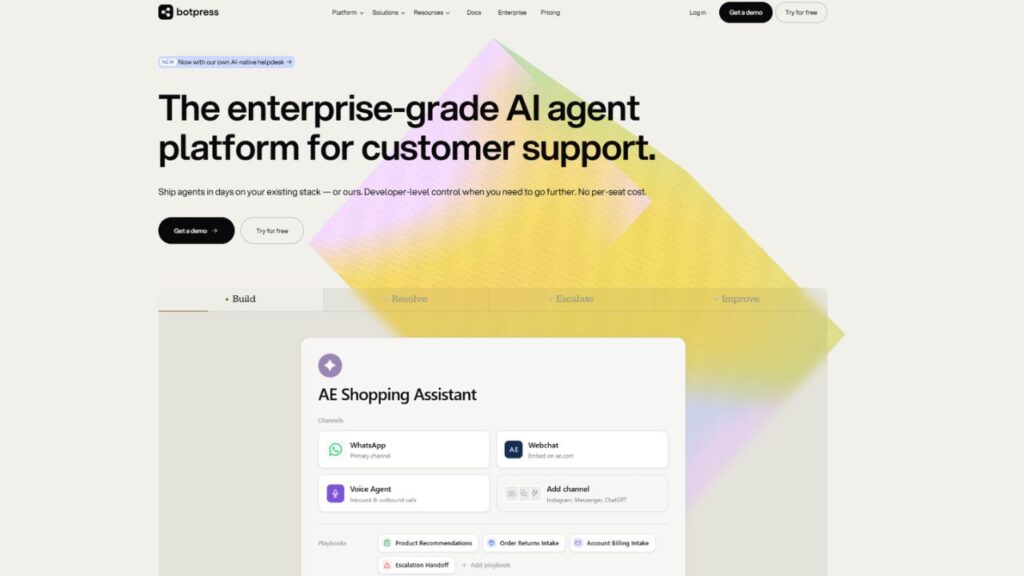
 ChatGPT
 Perplexity
 Claude AI

 Official Website
 Botpress Review: Is This AI Chatbot Builder Worth the Learning Curve?
If you’ve ever tried to build a chatbot that actually does something useful — pulls from your CRM, routes conversations based on intent, and doesn’t sound like a broken FAQ page — you’ve probably hit a wall with most no-code tools. They look great in demos, then fall apart the moment you need real logic behind them.
That’s exactly where Botpress enters the picture.
This review covers everything you need to know before you invest time (and money) into Botpress — the features that genuinely impress, the pricing that can catch you off guard, honest pros and cons, and who this platform actually serves well.
Botpress AI Chatbot Overview
| Detail | Info |
|---|---|
| Developer | Botpress Inc. |
| Founded | 2017 |
| Category | AI Chatbot & Agent Platform |
| Free Plan | Yes |
| Starting Price | Free / $89/month (Plus) |
| Best For | Developers, technical teams, enterprises |
| Platforms | Web, API, WhatsApp, Slack, Teams, Messenger |
| gyanshout.com Rating | 4.2/5 |
What Is Botpress? (And Who Actually Needs It)
Botpress is an open-source, developer-first conversational AI platform built for creating, deploying, and managing AI agents and chatbots at scale. It’s not for someone who wants to drag three buttons into a flow and call it done.
The platform was designed for technical teams who want real control — over conversation logic, LLM selection, data handling, and channel delivery. That developer DNA runs through everything Botpress does.
What problem does it solve? Simply put: most chatbot platforms are either too basic or too locked in. Botpress sits in the middle — flexible enough to build complex agentic workflows, but structured enough that you’re not writing everything from scratch.
It’s trusted by a mix of startups, mid-market teams, and Global 2000 companies. According to the company, there are over 750,000 active bots on the platform processing more than a billion messages. That’s not a number they made up — it’s backed by a $25M Series B in June 2026, led by Framework Venture Partners with participation from HubSpot Ventures and Deloitte Ventures, putting Botpress at a $120M valuation.
So yeah, there’s real momentum here.
Key Features of Botpress — What Makes It Stand Out
Visual Flow Builder (Botpress Studio)
The drag-and-drop Studio is where you’ll spend most of your time. You design conversation flows using nodes, triggers, conditions, and variables — without writing code for basic logic.
What makes it different from tools like Tidio or Chatfuel is that Botpress doesn’t hide the complexity. You can see exactly what’s happening in each step. Experienced teams love this; beginners can find it overwhelming.
Autonomous AI Engine
Botpress isn’t just a rule-based chatbot builder anymore. The platform has an autonomous engine that lets agents make decisions, call APIs, and complete multi-step tasks without being hardcoded for every scenario.
Think of it less like a flowchart tool and more like a mini AI agent runtime. This is particularly useful for support automation, lead qualification, and back-office tasks.
Multi-Channel Deployment
Build your bot once and deploy it across WhatsApp, Facebook Messenger, Slack, Microsoft Teams, your website, and more. Botpress handles the formatting quirks of each channel automatically.
This is a real time-saver. Without this, you’d be maintaining separate logic trees for each platform — which is exactly as painful as it sounds.
LLM Integration (Model-Agnostic)
One of Botpress’s strongest technical advantages is that it doesn’t lock you into one AI model. You can plug in OpenAI, Anthropic, Mistral, or your own self-hosted LLM — and switch between them depending on your use case or cost requirements.
AI usage is billed separately from your subscription at provider cost with zero Botpress markup, which is actually a fair deal if you manage your token consumption well.
Knowledge Bases and RAG Support
Botpress supports Retrieval-Augmented Generation (RAG) out of the box. You can feed it your docs, PDFs, websites, or databases — and the bot will pull accurate, grounded answers from that content instead of hallucinating.
For customer support and internal help desks, this is one of the most practically useful features on the platform.
Integrations and API Access
Botpress connects natively to Salesforce, Shopify, Zendesk, Zapier, Make, Intercom, and exposes both REST and GraphQL APIs for custom integrations. If your tool has an API, Botpress can talk to it.
This opens up serious workflow automation: order tracking, CRM updates, ticket creation, calendar bookings — all without leaving the conversation.
Human Handoff
When the bot hits its limits, Botpress handles the handoff to a live agent. You can configure rules for when to escalate, which team to route to, and how context transfers from bot to human.
It’s not the flashiest feature, but missing handoff in a customer-facing deployment is a disaster. Botpress gets this right.
Which of these features matters most for your business? Drop a comment below — especially if you’re comparing Botpress to another tool.
Botpress Pricing Plans — What You Actually Get for Your Money
Botpress pricing has two layers you need to understand before you commit: the subscription tier, and the AI usage (called “AI Spend”), which is billed separately on top of every plan.
Free Plan — $0/month Full access to the visual builder, NLU engine, and multi-channel deployment. Limited to 500 messages per month. That limit disappears fast during testing and development, but it’s enough to validate an idea or build a proof-of-concept.
Plus Plan — $89/month (or ~$79/month billed annually) A solid step up for freelancers and small teams. More messages, additional features, and basic collaboration support. This is where most indie builders will start when they go live.
Team Plan — $495/month (or $445/month with annual billing) Built for growing businesses. Adds real-time collaboration editing, role-based access control, and priority support. Note: AI usage fees and channel costs (like WhatsApp) are still billed separately, which can add up quickly.
Enterprise Plan — Custom (typically starts around $2,000/month) Full enterprise features: advanced security, SLAs, data residency controls, onboarding support, and custom contracts. Required if you’re in a regulated industry or operating at high message volumes.
The honest take on pricing: Botpress is not expensive at the entry level. But as you scale, the variable AI Spend model makes monthly costs harder to forecast. If you’re running a high-volume deployment, budget carefully — and factor in channel fees for messaging platforms like WhatsApp or SMS.
For startups and MVPs, the Free or Plus plan works. For mid-market teams deploying to real users, the Team plan at ~$5,940/year is worth it. Enterprise contracts become the only real option at serious volume.
How Does Botpress Compare to Alternatives?
| Tool | Best For | Starting Price | Free Plan | Overall Rating |
|---|---|---|---|---|
| Botpress | Developers, technical teams | $0 / $89/mo | Yes (500 msg/mo) | 4.2/5 |
| Voiceflow | Product teams, UX designers | $0 / $50/mo | Yes | 4.3/5 |
| Dialogflow CX | Google ecosystem users | Pay-as-you-go | Limited trial | 4.0/5 |
| Tidio | SMBs, e-commerce | $0 / $29/mo | Yes | 4.4/5 |
| Rasa | Enterprises needing full control | Open-source / custom | Yes (self-host) | 4.1/5 |
If you’re a non-technical business owner who just needs a live chat bot for your Shopify store, Tidio is the smarter, faster choice. If you want a product-design-friendly builder for building voice and chat flows without code, Voiceflow has a cleaner UX.
Botpress wins when you have developers on your team and need a platform that can grow into serious enterprise-grade automation without locking you into one AI vendor.
Real-World Use Cases — Who Gets the Most Value?
E-Commerce Customer Support Automation
An online retailer deploys a Botpress agent connected to their order management system and CRM. Customers ask “Where’s my order?” via WhatsApp, and the agent authenticates them, pulls live shipping data, and responds — all without a human involved. The bot even proactively flags potential delays before customers notice. This is the kind of use case Botpress was built for.
Internal IT Help Desk
A mid-sized company with 300+ employees routes all IT tickets through a Botpress agent integrated with their ticketing system. Employees describe their issue in plain language, the agent classifies the request, creates a ticket, and escalates to the right team. Hours of repetitive work removed from the IT queue every week.
Lead Qualification for Sales Teams
A B2B SaaS company builds a Botpress agent that asks qualifying questions via web chat, scores leads based on responses, and routes hot leads directly to a Salesforce deal — all before a human sales rep is ever looped in. The agent works 24/7, something no human SDR team can match.
Regulated Industry Compliance Bot
A financial services company needs strict data residency and on-prem deployment. Botpress’s self-hosting option and open-source core make this possible without relying on a third-party SaaS vendor who controls your data pipeline.
Agency Multi-Client Deployments
A digital agency builds a white-labeled chatbot product for their clients using Botpress as the backend. The visual Studio lets junior team members manage flows for each client, while developers maintain the integration layer. The result is a scalable, repeatable delivery model.
Have you used Botpress for any of these scenarios? What’s your real experience with scaling it? Share below.
My Honest Verdict — Should You Use Botpress?
Botpress is genuinely powerful. If you have a developer on your team and need an AI chatbot platform that can handle complex logic, connect to real business systems, and deploy across multiple channels — Botpress is one of the best options available in 2026.
The open-source foundation, model-agnostic LLM support, and self-hosting capability give it an edge that few platforms can match for enterprise and regulated-industry use cases.
But it’s not for everyone. If you’re a solo founder, a small business owner without technical support, or someone who wants a chatbot running in 30 minutes without touching an API — Botpress will frustrate you. The learning curve is real, the free plan is limited, and the variable pricing model needs careful management as you scale.
gyanshout.com Rating: 4.2/5
Use Botpress if: You’re a developer or technical team, you need multi-channel deployment, you want model flexibility, or you’re in a regulated industry needing self-hosting.
Skip Botpress if: You have no technical resources, you want predictable flat-rate pricing, or you need something live in a day without engineering support.
Botpress FAQ
Q : Is Botpress free?
Ans : Yes, Botpress has a free plan that includes the full visual builder and multi-channel deployment. However, it’s capped at 500 messages per month, which is enough for testing but not production use. Paid plans start at $89/month.
Q : Is Botpress safe to use?
Ans : Botpress is open-source, which means you can audit the code directly. It also supports self-hosting, meaning you can keep all conversation data on your own infrastructure. For enterprises in regulated industries, this is a significant advantage over closed-source platforms.
Q : What is Botpress best for?
Ans : Botpress is best for developers and technical teams who need a flexible, customizable AI chatbot platform. Top use cases include customer support automation, internal IT help desks, lead qualification, and multi-channel AI agent deployments.
Q : Does Botpress support WhatsApp?
Ans : Yes, Botpress supports WhatsApp as a deployment channel. Note that WhatsApp channel fees are billed separately from your Botpress subscription, which affects total cost calculations for high-volume deployments.
Q : Botpress vs Voiceflow — which is better?
Ans : It depends on your team. Voiceflow has a cleaner, more design-friendly interface ideal for product teams and UX designers. Botpress gives developers more raw control, better self-hosting options, and deeper LLM flexibility. For pure developer use cases, Botpress wins.
Q : Can non-developers use Botpress?
Ans : For simple bots using pre-built flows and knowledge bases, yes — the visual Studio is accessible to non-developers. But to use advanced features like custom API integrations, complex workflows, or LLM connections, you’ll need JavaScript/TypeScript knowledge.
Q : How much does Botpress cost at scale?
Ans : This is where it gets complex. Your total bill includes your subscription tier plus AI Spend (LLM token usage) plus any channel fees. The Team plan at $495/month can easily exceed $1,000–2,000/month for high-volume deployments once usage costs are added.