Skip to content
📰 Blogging

Google se Backlink kaise Banaye | Best way to Create Backlinks from Google
Google se Backlink kaise Banaye | Best way to Create Backlinks from Google

इस आर्टिकल में हम देखेंगे Google se Backlink kaise Banaye अगर आप भी गूगल पर सर्च कर रहे हैं Google se Backlink kaise Banaye तो इस आर्टिकल को पूरा पढ़ें

जब आप अपनी Website बनाते हैं तब Backlinks के बारे में तो जानते ही होंगे की Backlinks हमारी वेबसाइट के लिए कितना ज्यादा जरूरी है इस आर्टिकल में हम जानेंगे कि आप Google से High Quality Backlinks कैसे बना सकते हैं वैसे तो High Quality Backlink बनाने के बहुत सारे तरीके हैं

लेकिन आपको पता होगा कि जितना ज्यादा High Quality का Backlink हमारी वेबसाइट पर होगा हमारी वेबसाइट उतनी ही जल्दी गूगल पर रैंक करेगा लेकिन आज इस आर्टिकल के माध्यम से हम जानेंगे कि आप गूगल से बैकलिंक्स कैसे ले सकते हैं बिल्कुल फ्री में

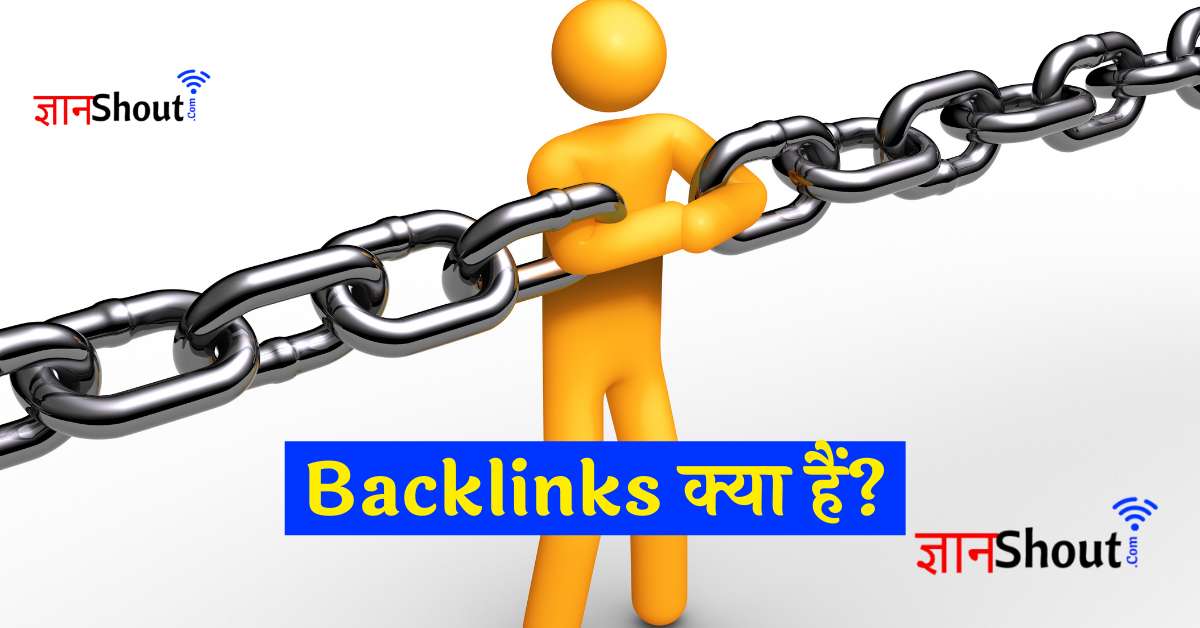
सबसे पहले हम जानते हैं Backlinks क्या होता है

Backlink क्या है?

Backlinks एक प्रकार का URL होता है जो कि हमारी Website का URL किसी और वेबसाइट पर होता है तो उसे Backlink कहते हैं अगर आप इसे और भी अपनी भाषा में अच्छे से समझना चाहते हैं तो आप हमारा इस आर्टिकल को पढ़ सकते हैं Backlinks क्या होता है?

High Quality Backlink कैसे बनाये?

अगर आप अपनी Website के लिए High Quality का Backlinks बनाना चाहते हैं तब आपको बड़े-बड़े वेबसाइट पर अपना Backlinks बनाना होगा तभी आपकी वेबसाइट के लिए High Quality का Backlinks बनेगा अगर आप High Quality का Backlinks बनाना चाहते हैं तब आपको सबसे पुराने Website पर अपना Backlinks बनाना है जितना ज्यादा पुराना Website होगा उतना ज्यादा High Quality का Backlinks आपके Website पर बनेगा

Google se Backlink kaise Banaye

अगर आप Google से Backlinks बनाना चाहते हैं तब आपको गूगल पर Backlinks बनाने की ज्यादा तरीके नहीं मिलेंगे लेकिन इस आर्टिकल के माध्यम से हम आपको बताएंगे क्या गूगल से Backlinks कैसे बना सकते हैं

यदि आप गूगल से Backlinks से बनाते हैं तब आपका वेबसाइट काफी जल्दी गूगल पर Rank करेगा और आपकी Website की अथॉरिटी काफी ज्यादा होगी तो चलिए हम जानते हैं कि आपकी तरह से गूगल से Backlinks बना सकते हैं वह भी High Quality Backlinks फ्री में

हमने यहां पर आपको बहुत सारी Google की Website से Backlink लेने का तरीका बताएं हैं यहां पर जो हमारे Website का Url है वहां से हमारी वेबसाइट का यूआरएल को हटाना है और वहां पर आपको अपनी वेबसाइट का Url डाल कर सर्च कर लेना है

सर्च करने के बाद वहां पर आपको कोई पेज नहीं दिखेगा लकिन आपको जो वह Url है उसको किसी तरह Index कराना है अगर आपका वह Url किसी तरह Index हो गया तब आपका बैकलिंक्स गूगल पर बन गया इस तरह से सभी Url में अपने Website का नाम Change कर के अपने Website पर Backlink बना सकते है

www.google.com.pr/url?q=https://www.yourwebsite.com

How to Create Backlinks from Google

maps.google.co.jp/url?sa=t&url=https://gyanshout.com
www.google.co.uk/url?q=https://gyanshout.com
maps.google.it/url?sa=t&url=https://gyanshout.com
maps.google.es/url?sa=t&url=https://gyanshout.com
www.google.ca/url?q=https://gyanshout.com
www.google.nl/url?q=https://gyanshout.com
www.google.pl/url?q=https://gyanshout.com
www.google.com.au/url?q=https://gyanshout.com
www.google.com.br/url?q=https://gyanshout.com
images.google.co.in/url?sa=t&url=https://gyanshout.com
www.google.ch/url?q=https://gyanshout.com
maps.google.cz/url?sa=t&url=https://gyanshout.com
www.google.be/url?q=https://gyanshout.com
images.google.at/url?sa=t&url=https://gyanshout.com
www.google.se/url?q=https://gyanshout.com
www.google.com.tw/url?q=https://gyanshout.com
www.google.ru/url?sa=t&url=https://gyanshout.com
www.google.com.tr/url?q=https://gyanshout.com
maps.google.dk/url?sa=t&url=https://gyanshout.com
www.google.com.mx/url?q=https://gyanshout.com
images.google.com.hk/url?sa=t&url=https://gyanshout.com
www.google.com.sg/url?q=https://gyanshout.com
maps.google.fi/url?sa=t&url=https://gyanshout.com
images.google.pt/url?sa=t&url=https://gyanshout.com
maps.google.co.id/url?q=https://gyanshout.com
images.google.co.th/url?sa=t&url=https://gyanshout.com
www.google.co.nz/url?sa=t&url=https://gyanshout.com
www.google.com.ar/url?q=https://gyanshout.com
www.google.com.vn/url?q=https://gyanshout.com
www.google.ro/url?q=https://gyanshout.com
cse.google.co.za/url?q=https://gyanshout.com
www.google.no/url?q=https://gyanshout.com
www.google.com.ph/url?q=https://gyanshout.com
maps.google.gr/url?q=https://gyanshout.com
www.google.sk/url?q=https://gyanshout.com
maps.google.ie/url?sa=t&url=https://gyanshout.com
maps.google.cl/url?q=https://gyanshout.com
images.google.bg/url?sa=t&url=https://gyanshout.com
www.google.rs/url?q=https://gyanshout.com
maps.google.com.my/url?sa=t&url=https://gyanshout.com
images.google.com/url?sa=t&url=https://gyanshout.com
images.google.co.il/url?sa=t&url=https://gyanshout.com
images.google.co.kr/url?q=https://gyanshout.com
www.google.lt/url?q=https://gyanshout.com
www.google.si/url?sa=t&url=https://gyanshout.com
www.google.ae/url?q=https://gyanshout.com
maps.google.com.co/url?q=https://gyanshout.com
www.google.hr/url?q=https://gyanshout.com
maps.google.ee/url?q=https://gyanshout.com
images.google.com.pe/url?sa=t&url=https://gyanshout.com
ipv4.google.com/url?q=https://gyanshout.com
maps.google.com.eg/url?q=https://gyanshout.com
maps.google.lv/url?q=https://gyanshout.com
www.google.com.np/url?q=https://gyanshout.com
www.google.com.sa/url?q=https://gyanshout.com
www.google.com.pk/url?q=https://gyanshout.com
maps.google.by/url?q=https://gyanshout.com
www.google.co.ve/url?q=https://gyanshout.com
images.google.com.bd/url?q=https://gyanshout.com
www.google.com.ng/url?sa=t&url=https://gyanshout.com
maps.google.co.cr/url?q=https://gyanshout.com
images.google.com.do/url?q=https://gyanshout.com
images.google.ba/url?q=https://gyanshout.com
maps.google.is/url?q=https://gyanshout.com
www.google.com.pr/url?q=https://gyanshout.com
Google High Quality Backlink

अगर आपको समझ में नहीं आया है कि हम गूगल से बैकलिंक्स कैसे बना सकते हैं तब आप इस वीडियो को जरूर देखें क्योंकि इस वीडियो में सारा चीज बताया गया है कि आप गूगल से बैकलिंक्स कैसे बना सकते हैं और इसे इंडेक्स कैसे करा सकते हैं

निष्कर्ष

दोस्तों हमने आपको बताए हैं कि आप गूगल से Backlink कैसे बना सकते है अगर आप इनका उपयोग एक बार जरूर करें और अगर आपका Backlink बनता है तब आप हमें कमेंट में जरूर बताएं Google se Backlink kaise Banaye

Google se Backlink kaise Banaye FAQ

Q. Backlink क्या है

u003cstrongu003eAns.u003c/strongu003e Backlink एक प्रकार का यूआरएल होता है आपका यूआरएल किसी और वेबसाइट पर होता है तब इसे Backlink कहते हैं

Q. बैकलिंक के फायदे

u003cstrongu003eAns.u003c/strongu003e Backlink के काफी सारे फायदे होते हैं आपका वेबसाइट पर ज्यादा सर्च में आता है आपका वेबसाइट का पोस्ट गूगल पर जल्दी इंडेक्स होता है इस तरह का काफी सारे फायदा होते हैं

Q. Google से Backlink कैसे बनाएं

u003cstrongu003eAns.u003c/strongu003e हमने इस आर्टिकल में बताएं है की आप गूगल से फ्री में Backlink कैसे बना सकते हैं

इन्हें भी पढ़ें

Gyanshout Team
Written By

Gyanshout Team

AI enthusiast and technology writer covering the latest in artificial intelligence tools and trends.

Leave a Reply

Your email address will not be published. Required fields are marked *

Featured Tools

View All →

Recommended Tools

Free
4.8
153
Chat GPT - Verified

Most people use ChatGPT as a glorified search bar, but they're missing 80% of its power. After three years of daily use, we’re breaking down the actual workflows that save...

VISIT
Premium
4.5
45
Cursor ai - Verified

Is it worth $20/month? We break down features, pricing, Agent Mode, Tab completion & honest pros/cons. The best AI code editor for developers — find out if it fits your...

VISIT
Paid
4.5
47
AccuWeb Hosting - Verified

AccuWeb Hosting is a debt-free, privately owned company with over two decades of experience in the hosting industry. We value loyalty, transparency, and quality

VISIT
⭐ Featured on
Click to copy widget code