

 Trending
  VISIT THIS SITE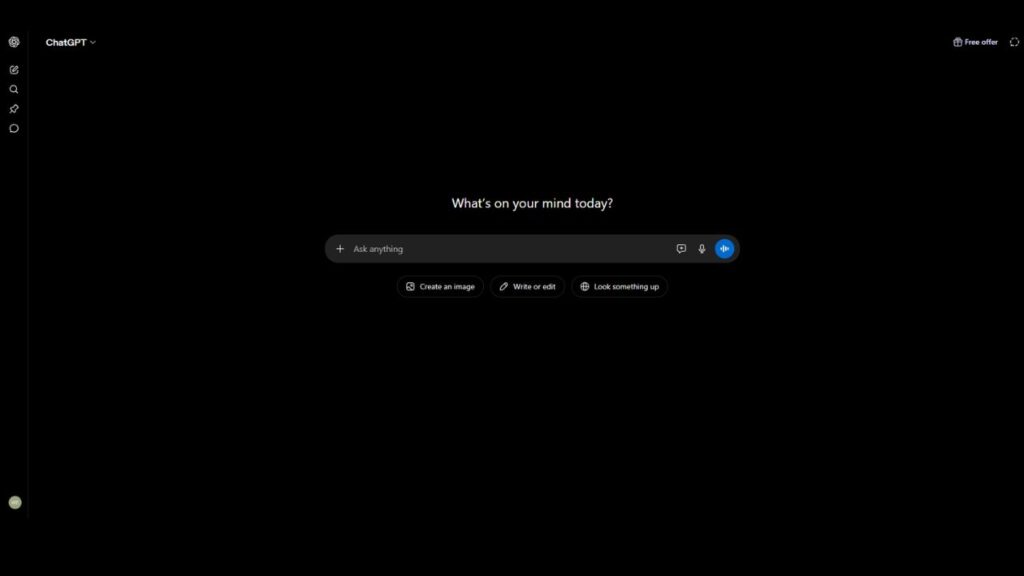
 ChatGPT
 Perplexity
 Claude AI

 Official Website
  Affiliate Program
 ChatGPT Review: Is It Still the Best AI Tool for Professionals in 2025?
I remember the first time I tried to get a complex Python script from a chatbot. It gave me code that looked perfect, but when I ran it, it crashed immediately. I spent two hours arguing with the AI, telling it why it was wrong, only for it to apologize and give me the exact same wrong answer three times. That is the reality of living with a large language model (LLM). It is a brilliant assistant that occasionally decides to lie to your face with absolute confidence.
After using this tool daily for nearly three years—through the transition from GPT-3.5 to GPT-4 and now GPT-4o—my relationship with it has changed. It is no longer a novelty or a toy for writing poems. For me, it has become a digital exoskeleton. It doesn’t do my job, but it makes the boring parts of my job disappear. If you are still treating it like a Google search bar, you are missing about 80% of its actual value.
Quick Facts
- Developer: OpenAI
- Founded: 2015 (ChatGPT released Nov 2022)
- Category: Conversational AI / Productivity
- Free Plan: Yes
- Starting Price: $0 (Plus plan at $20/mo)
- Best For: Content drafting, coding, brainstorming, and data synthesis
- Platforms: Web, iOS, Android, macOS, Windows
- gyanshout.com Rating: 4.7/5
What Is ChatGPT? (And Who Actually Needs It)
At its core, ChatGPT is a generative AI interface that predicts the next most likely word in a sequence based on a massive dataset. But that technical definition is useless to a freelancer or a business owner. In practical terms, it is a cognitive partner. It is the only tool I know that can switch from analyzing a 50-page PDF of financial data to writing a sarcastic email to a difficult client in three seconds.
You actually need this tool if your day consists of “information processing.” If you spend your hours reading long documents to find three key points, drafting repetitive emails, or staring at a blank page wondering how to start a project, this is for you. It is built for the “knowledge worker” who is drowning in tabs and needs a way to synthesize information quickly.
However, it is not for everyone. If your work requires 100% factual accuracy without a human review process—like medical dosing or legal filings—you cannot trust this tool blindly. It is a co-pilot, not an autopilot.
Have you found yourself relying on it more for brainstorming or for actual execution in your workflow?
Key Features of ChatGPT — What Makes It Stand Out
Most people just type a prompt and hit enter. But after hundreds of hours of testing, the real power lies in the specific AI capabilities that go beyond simple chatting.
GPT-4o Multimodality
The “o” stands for Omni, and it is a massive shift. You can now upload a photo of a handwritten whiteboard session from a meeting, and it will convert those messy scribbles into a structured project plan. I used this last week to digitize a series of napkin sketches for a website layout, and it caught details I had actually forgotten. The ability to see, hear, and speak in real-time makes the interaction feel less like a software program and more like a collaborator.
Custom GPTs
This is where the tool stops being a generalist and starts being a specialist. You can create a “mini-version” of ChatGPT that has a specific set of instructions and uploaded knowledge. For example, I built a “Brand Voice GPT” where I uploaded my previous 20 articles and told it to never use adjectives like “cutting-edge.” Now, instead of prompting the AI every time, I just switch to that specific GPT, and it already knows my style.
Advanced Data Analysis
You can upload an Excel sheet or a CSV file, and it will act as a data scientist. Instead of wrestling with VLOOKUPs or Pivot Tables, you can simply ask, “Which region had the lowest conversion rate in Q3, and why?” It writes and executes Python code in the background to generate the answer. It even creates charts and graphs that you can download and drop straight into a presentation.
Web Browsing with SearchGPT
The days of the “knowledge cutoff” are mostly gone. With integrated web searching, it can pull current pricing for a competitor or summarize the news from ten minutes ago. It provides citations, which is critical. If it tells you a fact, you can click the link to verify it. This reduces the “hallucination” problem significantly, though it still occasionally misinterprets a source.
DALL-E 3 Integration
Having an AI image generator inside the chat is a huge time-saver. You don’t have to leave the app to create a visual aid for a blog post or a concept image for a client. The best part is the conversational editing. You can say, “Make the sky more orange and move the building to the left,” and it understands the context of the previous image.
Voice Mode
The new Advanced Voice Mode is unsettlingly human. It can detect emotion in your voice and change its own tone. For someone who struggles to write, talking through a problem while walking the dog is a game-changer. You can literally “talk out” a first draft of an article, and by the time you sit down at your desk, the structure is already finished.
Which of these features actually saves you the most time during your workday? Drop a comment below.
ChatGPT Pricing Plans — What You Actually Get for Your Money
OpenAI has shifted its pricing to be more accessible, but the “Plus” tier remains the gold standard for power users.
Free Plan ($0/mo) You get access to the basic model (GPT-4o mini) and limited access to GPT-4o. You can use the web search and data analysis features, but you will hit a “cap” quickly. Once you hit the limit, the AI drops back to a simpler, less capable model. This is fine for casual users, but if you use it for work, you will hit that wall by 11:00 AM.
ChatGPT Plus ($20/mo) This is the plan most freelancers and professionals should use. You get significantly higher limits on GPT-4o, full access to DALL-E 3, and the ability to create and use Custom GPTs. You also get early access to new features (like the new Voice Mode). For $20, it is essentially the cheapest employee you will ever hire.
Team Plan ($25–$30 per user/mo) This is designed for small agencies. It provides a collaborative workspace where you can share Custom GPTs within your team. Crucially, the data used in the Team plan is not used to train the models, which is a major win for privacy-conscious businesses.
Enterprise Plan (Custom Pricing) This is for large corporations. It includes unlimited high-speed access, administrative controls, and enterprise-grade security. If you are a Fortune 500 company, this is the only way to deploy the tool safely.
In my opinion, if you are making any money from your freelance work, the $20 Plus plan is a non-negotiable expense. The jump in reasoning quality between the free and paid tiers is too large to ignore.
Pros and Cons of ChatGPT
No tool is perfect, and after using this for thousands of hours, the cracks are obvious.
Pros
- Unmatched versatility across coding, writing, and analysis.
- The most intuitive user interface of any AI chatbot on the market.
- Custom GPTs allow for incredible workflow automation.
- Fast iteration speed; new features roll out almost weekly.
- High-quality mobile app that syncs perfectly with the desktop version.
- Massive community support and a wealth of prompt libraries online.
Cons
- Still prone to “hallucinations” where it confidently presents false info.
- The “AI writing style” can feel repetitive and bland if not prompted heavily.
- Occasional downtime or slow responses during peak US business hours.
- Privacy concerns for those not using the Team or Enterprise tiers.
- The “Memory” feature can sometimes remember things you’d rather it forget.
- Customer support is largely automated and slow to respond to billing issues.
How Does ChatGPT Compare to Alternatives?
It is a mistake to think ChatGPT is the only option. Depending on your specific goal, another tool might actually be better.
| Tool Name | Best For | Starting Price | Free Plan | Overall Rating |
|---|---|---|---|---|
| ChatGPT | General Purpose / Versatility | $0 | Yes | 4.7/5 |
| Claude | Nuanced Writing / Large Docs | $0 | Yes | 4.6/5 |
| Gemini | Google Ecosystem Integration | $0 | Yes | 4.2/5 |
| Perplexity | Real-time Research / Citations | $0 | Yes | 4.5/5 |
If you need a tool that feels more “human” and less “robotic” in its writing, Claude (by Anthropic) is often superior. If you are deep in the Google Workspace (Docs, Gmail) and want an AI that can read your emails and schedule meetings, Gemini is the way to go. If you are using the AI strictly as a replacement for Google Search, Perplexity AI is a more efficient research engine.
But as a general-purpose “Swiss Army Knife,” ChatGPT still holds the crown.
Real-World Use Cases — Who Gets the Most Value?
To understand the value of this tool, you have to stop thinking about “chatting” and start thinking about “workflows.”
The Freelance Content Marketer
Imagine you have a client in a niche you know nothing about—say, industrial hydroponics. Instead of spending four hours researching, you upload the client’s current website and three competitor PDFs into a Custom GPT. You ask the AI to identify the “content gaps” in the client’s strategy. Within minutes, you have a list of 10 high-impact topics. You don’t let the AI write the final article, but you use it to create a detailed outline and a list of technical questions to ask the client during the interview. This turns a four-hour research phase into a 20-minute synthesis phase.
The Solo Developer
For a coder, ChatGPT is a pair-programmer that never sleeps. Instead of scrolling through endless StackOverflow threads, a developer can paste a buggy block of code and ask, “Why is this returning a 404 error in production but not in local?” The AI identifies the environmental variable mismatch and suggests the fix. More importantly, it can write the boilerplate code—the boring stuff like API integrations or CSS grids—allowing the dev to focus on the actual logic of the application.
The Small Business Owner
A shop owner can use the Advanced Data Analysis feature to upload their monthly sales report. By asking “Which product has the highest return rate compared to sales volume?” they can identify a quality issue with a specific supplier that they had completely missed. They then use the tool to draft a professional but firm email to that supplier, requesting a credit for the defective units.
The Student or Lifelong Learner
Instead of reading a dense textbook, a student can upload a chapter and say, “Explain the concept of Quantum Entanglement to me like I’m a high schooler, then give me three practice problems to test my knowledge.” When the student gets a problem wrong, the AI doesn’t just give the answer; it explains the logic step-by-step. It turns a passive reading experience into an active tutoring session.
Do any of these scenarios mirror your current daily grind? Which one would save you the most headspace?
My Honest Verdict — Should You Use ChatGPT?
After three years of testing, my verdict is clear: ChatGPT is the most essential productivity tool of the decade.
It is not perfect. It will still lie to you occasionally. It will sometimes give you a “preachy” lecture about ethics when you just wanted it to write a funny joke. But the sheer utility of having a multimodal, reasoning engine at your fingertips is too great to ignore.
If you are a professional, a student, or an entrepreneur, you cannot afford to be “AI-illiterate” in 2025. Learning how to prompt this tool is essentially the new “learning how to use Excel” from twenty years ago. Those who know how to steer the AI will replace those who don’t.
Final Score: 4.7/5
Who should use it? Anyone who works with text, code, or data. If your primary tool is a computer, you should be using ChatGPT.
Who should skip it? People who require 100% factual accuracy without a verification step, or those who are deeply uncomfortable with their data being processed by a cloud-based AI.
My Recommendation: Start with the free plan to get a feel for the interface, but if you find yourself using it for more than an hour a day, move to the $20 Plus plan immediately. The access to GPT-4o and Custom GPTs is where the real ROI happens.
Try ChatGPT for free on the official OpenAI website or check out verified user experiences on G2.
ChatGPT FAQ
Q : Is ChatGPT free?
Ans : Yes, there is a robust free tier that gives you access to basic models and limited access to the more advanced GPT-4o. However, power users will likely want the Plus plan to avoid usage caps.
Q : Is ChatGPT safe to use for business data?
Ans : If you use the Free or Plus plans, your data may be used to train the model unless you explicitly turn off “Chat History & Training” in settings. For total privacy, the Team and Enterprise plans are the only safe options for sensitive corporate data.
Q : What is ChatGPT best for?
Ans : It excels at synthesizing large amounts of information, drafting initial versions of content, writing and debugging code, and brainstorming creative solutions to complex problems.
Q : ChatGPT vs. Claude — which is better?
Ans : ChatGPT is better for versatility, voice interaction, and data analysis. Claude is generally better for long-form writing, nuanced tone, and handling extremely large documents (like entire books) in one prompt.
Q : Does ChatGPT have a mobile app?
Ans : Yes, there are official apps for both iOS and Android. The mobile experience is excellent, particularly the voice mode, which allows you to interact with the AI hands-free.
Q : Can ChatGPT write a full book or article by itself?
Ans : It can, but I wouldn’t recommend it. Raw AI output often feels generic and lacks “soul.” The best results come from using it to outline and draft, then spending your time editing and adding personal anecdotes.