Trending
  VISIT THIS SITE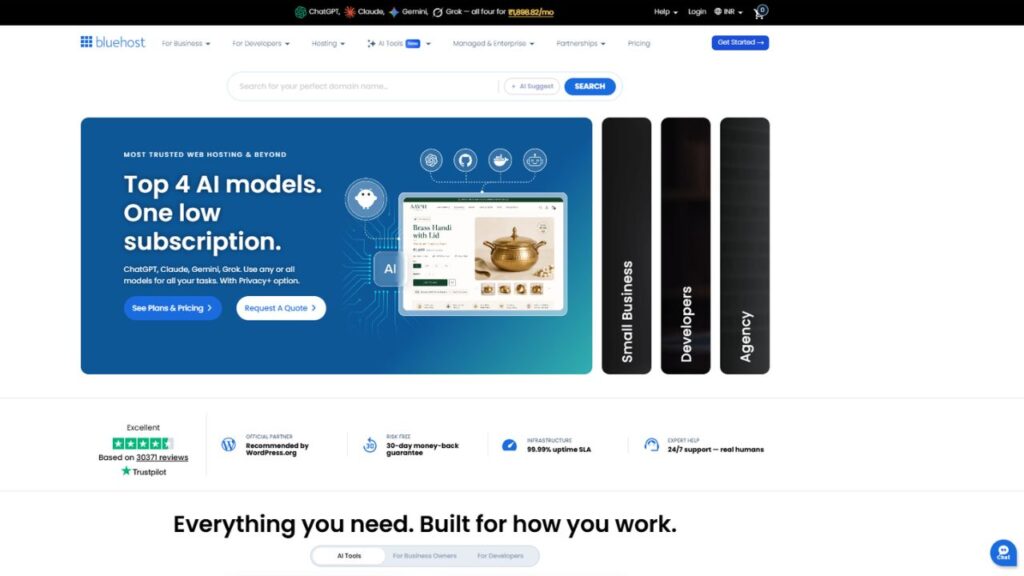
 ChatGPT
 Perplexity
 Claude AI

 Official Website
 Bluehost Hosting – Setting up a website used to feel like a chore. You’d buy a domain, wrestle with a hosting panel, install WordPress, and then spend three days staring at a blank screen wondering why your theme looks nothing like the demo. For years, the “easy” path was just a marketing promise. But with the current shift toward AI-driven automation, the goalposts have moved.
I recently spent a month testing the updated Bluehost Hosting ecosystem to see if their new AI integration actually removes the friction or if it’s just another layer of automation that produces generic results. If you are trying to get a business online without spending $2,000 on a developer, you need to know if these tools actually work.
Quick Facts
- Developer: Newfold Digital
- Founded: 2005
- Category: AI Web Hosting
- Free Plan: No
- Starting Price: $2.95/mo (Introductory)
- Best For: Small businesses, bloggers, and first-time entrepreneurs
- Platforms: Web-based
- gyanshout.com Rating: 4.2/5
What Is Bluehost Hosting? (And Who Actually Needs It)
At its core, Bluehost Hosting is a veteran in the web hosting space, primarily known for its deep integration with WordPress. However, it has evolved from a simple place to store your website files into a full-blown site creation platform.
The real value here is for the person who is “tech-adjacent.” You know your way around a computer, but you don’t want to spend your weekend learning CSS or configuring DNS records. The tool is designed to solve the “blank page” problem. Instead of starting from scratch, it uses AI-powered site generation to build a foundation—layout, images, and copy—based on a few prompts you provide.
If you are a seasoned DevOps engineer, this will feel too simplified. But if you are a freelancer, a local shop owner, or someone starting a side hustle, this is exactly the kind of shortcut you need to actually launch your site instead of just talking about it for six months.
Key Features of Bluehost Hosting — What Makes It Stand Out
Most hosting companies just give you a server and wish you luck. Bluehost has tried to build a guided experience. Here is where the actual utility lies.
AI Website Builder
The AI Website Builder is the headline act here. Instead of picking a theme and manually adding pages, you describe your business, and the AI generates a multi-page site with relevant imagery and text. It isn’t perfect, but it gets you 70% of the way there, which is where most people usually give up.
Wonder AI Content Generation
Writing “About Us” and “Services” pages is the most boring part of launching a site. The Wonder AI tool helps you generate these descriptions on the fly. It saves you from the dreaded writer’s block by giving you a baseline you can then edit into your own voice.
One-Click WordPress Installation
While many hosts claim to have this, Bluehost’s implementation is tightly woven into the dashboard. Because they are officially recommended by WordPress.org, the WordPress integration is stable and avoids the common “white screen of death” errors seen on cheaper, unmanaged hosts.
Automated Backups and Security
Nothing kills a business faster than a site crash or a hack. The automated backup system ensures you don’t have to manually export your database every week. Combined with a free SSL certificate, it handles the basic security hygiene that beginners often forget.
Domain Name Integration
The ability to register your domain and connect it to your hosting in one workflow is a massive time-saver. It eliminates the need to jump between different registrars and manually update nameservers, which is where most novices accidentally break their site.
Managed Performance Optimizations
The Managed WordPress Hosting options include server-side caching and CDN integration. This means your pages load faster for users in different countries without you having to install five different optimization plugins that might conflict with each other.
Have you tried using an AI builder for your first site, or do you still prefer the manual drag-and-drop approach? Drop a comment below.
Bluehost Hosting Pricing Plans — What You Actually Get for Your Money
Pricing in the hosting world is notoriously tricky because of “introductory rates.” You need to look at what you pay now versus what you pay when the plan renews. All prices are in USD ($).
Basic Plan This is the entry-level tier, usually starting around $2.95/mo. It gives you a free domain for the first year and allows you to host one single website. It is perfect for a personal blog or a very simple landing page. However, the limited storage means you can’t go crazy with high-res videos.
Choice Plus Plan Usually priced around $4.95/mo to $5.95/mo. This is the “sweet spot” for most. You get unlimited websites, which is great if you are testing multiple niche ideas. It also includes more advanced security features and better backup options. If you are running a legitimate business, start here.
Pro Plan Targeted at growing businesses and those who need more power. This plan offers higher performance and more dedicated resources. It is designed for sites with higher traffic volumes that would otherwise slow down on a shared server.
A Note on the Fine Print: Be aware that while the starting price is low, renewal rates are higher. Also, be prepared for “upsells” during the checkout process. You don’t need the SiteLock security or the SEO tools immediately—you can always add them later if your site actually grows.
Pros and Cons of Bluehost Hosting
No tool is perfect. After spending a month in the dashboard, here is the honest breakdown.
Pros
- The AI Website Builder significantly reduces the time from “idea” to “live site.”
- Official WordPress recommendation makes the installation process seamless.
- Very generous free domain for the first year on most plans.
- The dashboard is intuitive and doesn’t feel like a 1990s control panel.
- Reliable 24/7 customer support via chat and phone.
Cons
- Renewal prices are significantly higher than the initial sign-up price.
- The checkout process is aggressive with optional add-ons.
- The AI-generated text can sometimes feel a bit generic and needs a human touch.
- Page load speeds on the Basic plan can be slower during peak traffic.
- Mobile app management is limited compared to the desktop experience.
How Does Bluehost Hosting Compare to Alternatives?
If you are deciding between Bluehost and other popular options, this table breaks down the primary differences.
| Tool Name | Best For | Starting Price | Free Plan | Overall Rating |
|---|---|---|---|---|
| Bluehost | AI-powered WP setups | $2.95/mo | No | 4.2/5 |
| SiteGround | Speed and Stability | $3.99/mo | No | 4.5/5 |
| HostGator | Budget-friendly basics | $3.79/mo | No | 3.8/5 |
| WP Engine | High-traffic Enterprise | $20.00/mo | No | 4.7/5 |
Real-World Use Cases — Who Gets the Most Value?
To see if this fits your needs, look at these specific scenarios.
The Solo-preneur Launching a Portfolio Imagine a freelance graphic designer who needs a professional presence by tomorrow. Instead of spending a week picking a theme, they use the Bluehost AI builder to generate a portfolio layout, upload their work, and use Wonder AI to polish their bio. They are live in two hours instead of two days.
The Local Business Transition A local bakery that only has a Facebook page wants a real website for SEO purposes. They don’t have a technical background. They use the Managed WordPress Hosting to ensure their site stays online without them needing to manage server updates. The AI helps them create a “Contact” and “Menu” page quickly, allowing them to focus on baking.
The Niche Content Creator A blogger wants to start a site about sustainable gardening. They use the Choice Plus plan to experiment with three different niche sites. By utilizing the one-click WordPress install, they can spin up new sites for different topics without paying for a new hosting account each time.
Which of these scenarios sounds most like your current situation? Let me know in the comments.
My Honest Verdict — Should You Use Bluehost Hosting?
After testing the tools, my take is this: Bluehost Hosting has successfully transitioned from being “just a host” to a “site launcher.” The integration of AI doesn’t replace a professional designer, but it destroys the barrier to entry for beginners.
The biggest frustration remains the pricing transparency regarding renewals and the pushy checkout add-ons. However, if you ignore the noise and focus on the product, the value is there. The AI tools actually save hours of manual labor.
Final Score: 4.2/5
Use it if: You are a beginner or a small business owner who wants a professional WordPress site without the technical headache. Skip it if: You are an experienced developer who needs full root access to a VPS or you are running a massive enterprise site with millions of hits.
If you’re ready to stop procrastinating and actually launch your project, check out Bluehost here and try the AI builder for yourself.
Bluehost Hosting FAQ Section
Is Bluehost free? No, Bluehost Hosting does not offer a permanent free plan. However, they often provide a free domain for the first year when you sign up for one of their monthly hosting plans.
Is Bluehost safe to use? Yes, it is highly secure. They provide a free SSL certificate to encrypt your data and have built-in security monitoring to protect your site from common malware attacks.
What is Bluehost best for? It is best for beginners, bloggers, and small business owners who want a streamlined, AI-assisted way to set up a WordPress website without needing to write code.
Bluehost vs SiteGround — which is better? It depends on your priority. Bluehost is generally more beginner-friendly and better for those wanting AI site generation. SiteGround is often praised for slightly faster raw server speeds and a more refined support experience for advanced users.
Does the AI Website Builder really work? It works as a powerful starting point. It creates a professional layout and writes basic copy, but you should always edit the content to ensure it matches your brand voice and accuracy.
Can I migrate my existing site to Bluehost? Yes, they offer migration tools and services to help you move your website from another host to their Managed WordPress environment.
Do I need to buy a domain separately? No, you can register your domain directly through Bluehost during the sign-up process, and it will be automatically linked to your hosting account.
For more detailed technical comparisons and user experiences, you can check out G2’s Bluehost Reviews to see what other power users are saying.