Trending
  VISIT THIS SITE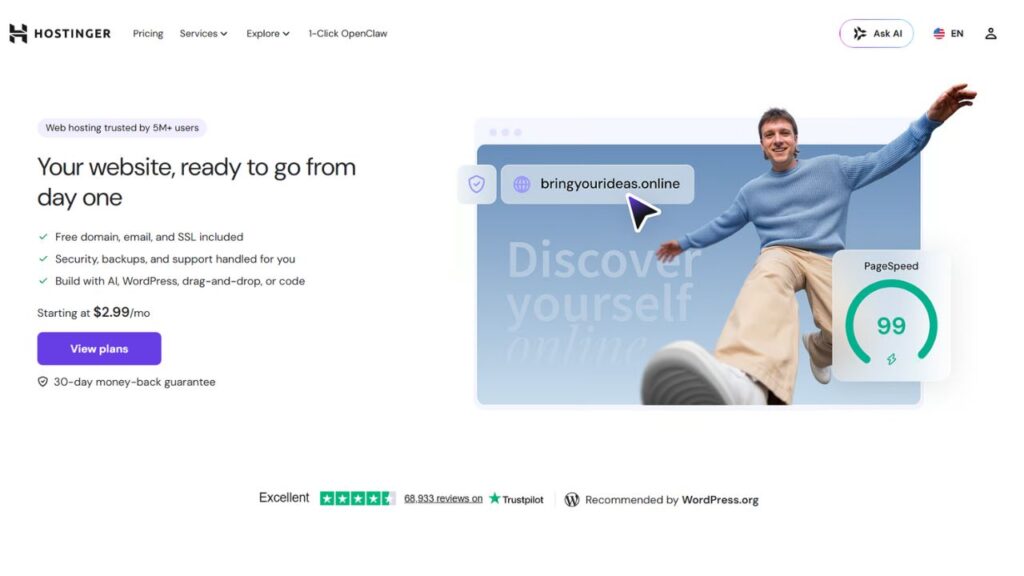
 ChatGPT
 Perplexity
 Claude AI

 Official Website
 Hostinger Hosting : AI Website Builder Actually Save You Time?
Hostinger – Setting up a website usually feels like a chore involving three different tutorials and a lot of guesswork. Most of us have been there: staring at a blank WordPress dashboard, wondering why the DNS settings aren’t propagating, or fighting with a theme that looks great in the demo but terrible once you add your own text. I’ve spent the last few months putting Hostinger Hosting through its paces to see if their aggressive push into AI actually solves these headaches or if it’s just marketing fluff.
The goal wasn’t just to see if the servers are fast, but to find out if a complete beginner—or a freelancer trying to launch five client sites in a week—can actually rely on their AI website builder and management tools without needing a computer science degree.
Quick Facts: Hostinger
- Developer/Company: Hostinger
- Founded: 2004
- Category: Web Hosting & AI Website Creation
- Free Plan: No (Paid plans only, but 30-day money-back guarantee)
- Starting Price: ~$2.99/mo (Introductory rate)
- Best For: Freelancers, small business owners, and bloggers who want a fast setup.
- Platforms: Web-based (hPanel), Mobile-friendly dashboard.
- gyanshout.com Rating: 4.3/5
What Is Hostinger Hosting? (And Who Actually Needs It)
If you strip away the corporate jargon, Hostinger Hosting is a high-performance environment for your website that has evolved into an AI-driven ecosystem. It’s no longer just about renting space on a server. It’s now about the tools that happen on that server.
For most people, the hardest part of starting a site is the “zero to one” phase. You have an idea, but you don’t have a layout, a logo, or a content strategy. This tool targets that specific friction. It’s built for the person who knows they need a professional web presence but doesn’t want to spend forty hours learning the nuances of WordPress hosting or fighting with CSS.
I found it particularly useful for those of us who juggle multiple projects. If you’re a freelancer who needs to spin up a landing page for a client by tomorrow morning, the AI-powered tools here are designed to get you to a “good enough” version in ten minutes, which you can then spend another hour polishing. It’s not for the enterprise-level developer who wants total root access and custom kernel configurations (though they have VPS options), but for the 90% of the internet that just needs a site that loads fast and looks clean.
Have you ever spent more time picking a theme than actually writing your content? Let me know in the comments if that’s your usual struggle.
Key Features of Hostinger Hosting — What Makes It Stand Out
The AI Website Builder
This is the core of their current strategy. Instead of picking a template and swapping images, you describe your business in a few sentences. The AI website builder generates a full layout, suggests images, and writes the initial copy. In my testing, the results weren’t perfect—sometimes the AI picks a weird stock photo—but as a structural foundation, it’s a massive time-saver. It removes the “blank page” anxiety that kills most projects before they start.
hPanel (The Custom Control Panel)
Most hosts still use cPanel, which looks like it was designed in 1998. Hostinger uses hPanel, their proprietary dashboard. It is significantly more intuitive. Everything from email hosting to backup management is a few clicks away. For a power user, the lack of some legacy cPanel plugins is a minor trade-off for a UI that doesn’t require a manual to navigate.
AI Writer and Content Generator
Within the builder, there is an AI writer that helps generate website copy. It’s not going to replace a high-end copywriter, but it’s excellent for drafting “About Us” pages or product descriptions. I used it to generate a few landing pages for a mock agency, and the tone was surprisingly professional. It beats the hell out of using generic “Lorem Ipsum” text while you wait for a client to send you their bio.
LiteSpeed Web Server Technology
Speed is a ranking factor, and Hostinger uses LiteSpeed servers. This is a technical detail that actually matters for your bottom line. By using the LiteSpeed Cache plugin, I saw my page load times drop significantly compared to standard Apache servers. This means your visitors aren’t bouncing because the site took four seconds to load on a 4G connection.
One-Click WordPress Installation
While they push their AI builder, their Managed WordPress integration is still top-tier. You can deploy a WordPress site in about 30 seconds. The auto-updater and automatic backups are handled in the background, which means you spend less time worrying about security patches and more time actually running your business.
AI Logo Maker
Creating a brand identity usually involves paying a designer or struggling with Canva for three hours. The integrated AI logo maker allows you to generate a basic visual identity that matches your site’s color palette. It’s basic, but for a MVP (Minimum Viable Product) or a side project, it’s exactly what you need to get the site live.
Which of these AI tools would actually save you the most time in your current workflow? Drop a comment below.
Hostinger Hosting Pricing Plans — What You Actually Get for Your Money
Pricing in the hosting world is always a bit tricky because of “introductory rates.” You need to look at what you pay now versus what you pay when you renew. All prices are in USD ($).
Premium Plan (The Sweet Spot) This usually starts around $2.99/mo (depending on the term length). You get a free domain for the first year, SSD storage, and the ability to host up to 100 websites. This is the plan I recommend for freelancers and hobbyists. It gives you enough headroom to grow without paying for enterprise-level resources you won’t use.
Business Plan (For Growing Sites) Usually starting around $3.99/mo. You get more performance, daily backups, and a free domain. The big draw here is the increased NVMe storage, which makes the site feel snappier. If you’re running an e-commerce store or a site with heavy traffic, the extra resources are worth the extra dollar per month.
Cloud Startup (For Power Users) Starting around $8.99/mo. This is essentially a dedicated environment without the complexity of a VPS. You get your own IP address and significantly more RAM. If you’re running a high-traffic blog or a professional agency site, this is where you should start to avoid the “noisy neighbor” effect of shared hosting.
The Honest Truth on Pricing: Be aware that the $2.99 rate is an introductory price. When you renew after 48 months, the price will jump to the standard rate. This is a common industry practice, but it catches people off guard. Always check the renewal price in your cart before checking out.
Pros and Cons of Hostinger Hosting
Pros
- The AI website builder actually creates usable layouts, not just random blocks.
- hPanel is miles ahead of cPanel in terms of user experience and speed.
- LiteSpeed integration ensures that your site loading speed is competitive.
- The price-to-performance ratio for the Premium plan is one of the best in the industry.
- Customer support is generally responsive and uses a helpful knowledge base.
Cons
- Renewal prices are significantly higher than the initial sign-up price.
- The AI writer can sometimes produce generic content that needs heavy editing.
- No free email accounts on the absolute cheapest entry plans.
- The “Free Domain” is only for the first year; you pay full price after that.
- Advanced server configurations are limited on shared plans compared to a full VPS.
How Does Hostinger Compare to Alternatives?
When you’re looking for web hosting services, you’ll likely see these names pop up. Here is how they stack up based on my hands-on experience.
| Tool Name | Best For | Starting Price | Free Plan | Overall Rating |
|---|---|---|---|---|
| Hostinger | AI-driven fast setup | ~$2.99/mo | No | 4.3/5 |
| Bluehost | Beginner WordPress users | ~$2.95/mo | No | 3.8/5 |
| SiteGround | High-end stability/support | ~$3.99/mo | No | 4.5/5 |
| Wix | Pure drag-and-drop design | ~$16/mo | Yes | 4.0/5 |
While SiteGround is arguably “better” for high-ticket clients who need premium support, Hostinger is the clear winner for those who want the most “bang for their buck” and the fastest path from an idea to a live URL.
Real-World Use Cases — Who Gets the Most Value?
The “Side-Hustle” Entrepreneur Imagine you have an idea for a niche affiliate site or a small e-commerce store. You don’t have $2,000 for a developer. You use the AI website builder to generate a landing page in 15 minutes, use the AI writer to draft your first three blog posts, and launch the site over a weekend. For this person, Hostinger isn’t just hosting; it’s a business launchpad.
The Freelance Digital Marketer You’re managing five different clients, all of whom need a simple portfolio or a lead-capture page. Instead of spending hours on manual WordPress installations, you use the Managed WordPress one-click setup and hPanel’s easy management. You can keep all your clients under one account (on the Premium plan) and handle their domain registration in one place, making your billing and management much cleaner.
The Local Small Business Owner A local bakery or a plumbing service doesn’t need a complex web app; they need a site that looks professional on a phone and shows their phone number. The AI-powered tools allow them to create a site that looks like it cost $500 to build, for the price of a few cups of coffee per month. They get a professional email address and a fast-loading page that helps them show up in local search results.
My Honest Verdict — Should You Use Hostinger Hosting?
After spending significant time with the platform, my take is that Hostinger has successfully transitioned from being “the cheap host” to “the smart host.” They aren’t just selling disk space; they are selling the ability to get a website live without the usual friction.
The AI website builder is a legitimate tool, not a gimmick. While it won’t build a complex custom application, it handles the 80% of common website needs with ease. The combination of LiteSpeed servers and hPanel makes the actual management of the site a breeze.
Final Score: 4.3/5
Who should use it? If you are a beginner, a freelancer, or a small business owner who wants a fast, affordable, and AI-assisted way to get online, this is a no-brainer. It’s the most efficient path to a professional web presence in 2025.
Who should skip it? If you are running a massive enterprise site with millions of hits per day, or if you require a very specific Linux environment with deep root access for custom software, you should move straight to their VPS or a dedicated cloud provider.
My Recommendation: Start with the Premium plan. It’s the best balance of cost and features. Try the AI builder, get your domain sorted, and see if the workflow fits your pace.
Check out Hostinger’s official site to see their current deals, or browse through G2 reviews to see what other power users are saying.
Hostinger Hosting Frequently Asked Questions
Is Hostinger Hosting free? No, Hostinger does not offer a permanently free hosting plan. However, they provide a 30-day money-back guarantee, which allows you to test the AI website builder and the hPanel without long-term risk.
Is Hostinger safe to use? Yes, it is very safe. They include free SSL certificates on all plans, and their servers use advanced DDoS protection and automated backups to keep your data secure.
What is Hostinger best for? Hostinger is best for users who want a blend of affordability and speed. It excels at WordPress hosting and quick site creation via AI for beginners and small business owners.
Hostinger vs. Bluehost — which is better? While both are popular, Hostinger generally offers better speed thanks to LiteSpeed technology and a more modern user interface (hPanel). Bluehost is very stable but can feel a bit more dated in its dashboard experience.
Can I migrate my existing site to Hostinger? Yes, they have a free migration tool. Their team can help you move your site from another provider to their managed hosting environment without causing significant downtime.
Does the AI website builder replace WordPress? Not necessarily. It’s a simpler alternative for those who don’t need the complexity of WordPress. However, if you need a full-scale blog or a complex e-commerce store, you can still use their one-click WordPress install on the same hosting plan.